©Verte Photography All Rights Reserved

Showing posts with label Tip. Show all posts

Monday, January 6, 2014

Retrospect

ret·ro·spect [re-truh-spekt]

1.contemplation of the past; a survey of past time, events, etc.


Example: in retrospect, in looking back on past events; upon reflection: It was, in retrospect, the happiest day of her life.
 There are moments in everyone's life that you hold close to your heart. Big events are easily remembered and often captured in film or digital such as weddings, births, graduations... and even vacations. Many of us forget to capture smaller moments, everyday moments. Even moments on those days we would rather forget. 
This happens to be an image from one of those days. It was a day in October, and we were vacationing in San Diego. We had a brilliant trip, and this is my mom taking my then one year old to step foot in the Pacific Ocean for the first time. It wasn't a planned shoot, we were just walking on the beach enjoying life. I think this image really captures the moment. When I look back to that day and reflect on this image I remember how peaceful that time with my family was. 

VERTETIP: Change your perspective. This image wouldn't be nearly as cool to me if it was a full body. By keeping it limited to feet I feel that it gives a more unique feel and captures more of the simplicity and discovery of that moment.   

Friday, January 3, 2014

Pop the cork!


Today's image comes to you as part of a product shoot I did for A Bow for Mama, she makes the CUTEST bows to decorate your home, office and even gifts! This little pin bow is attached to a bottle of champagne that I often use as a prop in the studio.

Which brings us to today's VERTE TIP: Tell a story!

In product photography, you want to showcase the product, but adding a practical image such as a way for someone to use the item brings it to life! Using something simple like this bottle, tells a story in the image. It lets you see the product but it also lets you imagine what it could be used for! Celebrate a house warming, announce your engagement... Celebrate and leave your loved one with a little gift they can keep! How fun is that!!!

Wednesday, April 10, 2013

Product Composition

Composition: The placement or arrangement of visual elements or ingredients in a work of art.

In photography there are a lot of general composition rules.  I covered some of these in our Photography 101 series back in January. Many of them will still apply to product photography. I thought in order to keep us well rounded I should touch on this as part of our placement and perspective discussion this week... because composition and perspective really are interlinked.  In fact, Perspective is the name of one very popular style of composition!


Perspective: The angle at which you shoot your subject. We ended yesterday talking about this... you want your camera to be in line with your product, not off to a side, or higher or lower then your product.


Correct Camera height.


Shot with camera directly in front of product


But if you have jewelry or other items you need to shoot flat.. then you may need to shoot directly DOWN on your item.  I don't suggest it, but I know sometimes you have to. I suggest busting out a step ladder and leaning over your workspace. Be careful not to get in front of any lighting source!

Shooting Down at product. / Product provided by Sweetsies

Fill the Frame. Our second composition rule tells us simple what to do... rather then leaving a lot of extra space around your product, get closer and fill the frame with your item! This will provide better details as well as simply "looking nicer"
Too Far Away.


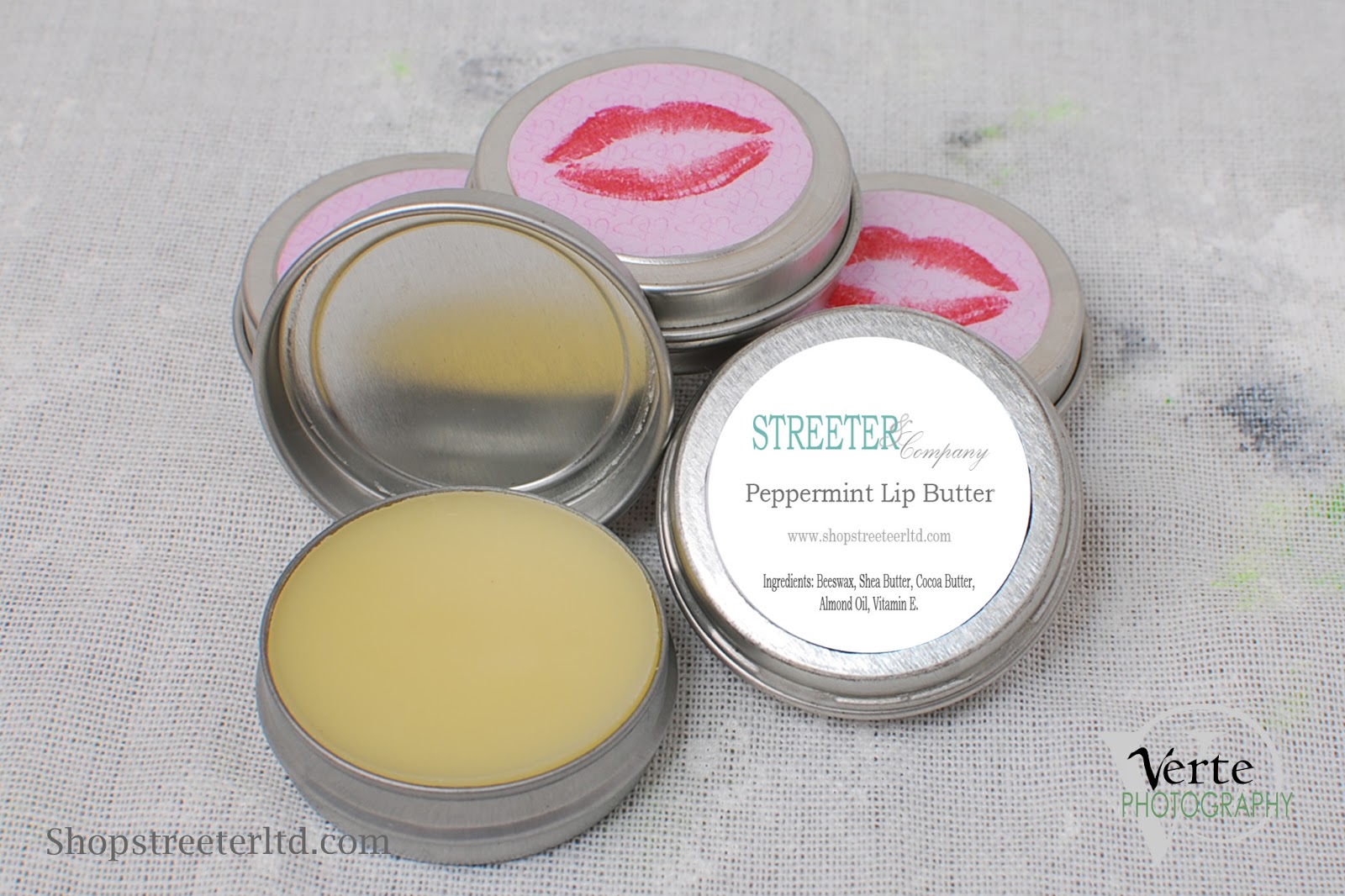
Full Frame / Product Provided by: Streeter & Co

Tip: If you have a high resolution camera, but can't focus close enough to your product you can crop in! Be sure to read up on the best way to do that, and keep your image looking sharp!


WIDE/TALL: If your product is wider then it is tall shoot horizontally, more tall then wide, shoot vertically.


More Wide = Horizontal Image / Product by: L.W. Hooks
Taller then Wide. Gift Unknown vendor.

Tip: This may also depend on where your images are going! If your uploading to a online shop, your thumbnail images may be more square, be sure to learn about any dimensional restrictions you may have before shooting!

Show the DETAILS. I don't mean just crop in on the same image... but I like to see DETAILS when I shop online. I want to see the different beads, the chain, the clasp... give me DETAILS.

Product Provided by: Streeter & CO


Product Provided by: Crafty Gal Creations

Product Provided by: Crafty Gal Creations


Monday, February 25, 2013

Top 5 Things you can do for great Wedding Portraits

Even if you have hired a professional photographer, and followed all my other advice from this months (Love posts), there are still a few things you can do on the day of your wedding to have a dramatic impact on your images!

In my 20 some odd years of being in the photography industry I have done countless wedding, bridal and event photography. In that time I have been able to be a part of all stages, from assisting, to being the “main” photographer, to editing, creating video, and even printing the end product. In that time I have really learned to appreciate the art behind wedding photography.

 Did you know as a bride, attendant or even a guest there are countless things you can do to help a photographer and insure the images that are captured are priceless keepsakes for generations? Here are my top 5 ways of insuring great wedding portraiture!

#1 The Shoot List.
First as a couple, be sure to create a “shoot list” with your photographer. This list is the combo of shots you need it should look something like…
Bride/groom
Bride/ Groom / Grooms mom (Anne)
Bride/ Groom/ Grooms mom / Step Dad (Frank)

This list should be done in advance and copies should be on both you and the photographer’s side. A real wedding photographer will have the basics memorized- but as in many modern families there are people you want in, people who may need to be on the end to be edited out later (you laugh but we all know its true!) and even ex’s who cant be stood next to each other. The more information you can give ahead of time for these little notes, as well as the REALLY important shots you want. Like… if you HAVE to have a photo of great-great grandma and the newborn… you should speak up prior to the chaos.

#2 The Assistant
Any wedding photographer worth their salt will not be doing this solo and the shoot list will be the assistants guide to make sure everything the bride want gets done. He/ she is the backbone so to speak, and the backup. They are also the “go to” in most photographer / assistant relationships. The photographer is there for the bride. The assistant is there for everyone else. If your mom wants a shot of something, she should be told to go to the assistant with it. The assistant will either take the shot (if they are a second shooter) or will be sure to have the photographer do it. Or will at the very least be able to handle the situation without distracting the photographer away from the bride. You should clarify the role of the assistant or additional shooters in your pre-wedding consultation you’re your photographer before the wedding, and be sure to inform your bridal party… and vocal family members whom they can and cannot go to with requests.

If there is no assistant (or even if there is) you should also assign Aunt Betty (who always wants to help, and knows most everyone… you know the one.. ) to assist the assistant. Or, better yet find one from each side of the family, give them a copy of the shoot list, and let her be the runner during the bridal portraits. This can save a lot of time! The photographer or photographers assistant can say who they will need next, and she can go get them. She can also watch to make sure each combo you need is getting done… because trust me – you wont know! It also makes her feel important and keeps her from going to you with everything she thinks needs done.

#3 The Kit
I highly recommend this kit to every bride. Go to the dollar section of your local drug store or big box market and pick up these handy items.


  1.  A small sewing kit (includes tiny scissors, thread and needle, add safety pins and several boutineer pins (craft needles) to it if needed)
  2.  A pack of Mary-Kay blot cloths ($5) or some round cotton pads (dollar section) to blot shiny areas during the day- don’t forget to use them on you and your groom!
  3.  Extra lip gloss /lipstick, powder and WATERPROOF mascara
  4.  Nail file, clippers, and basic polish – you know one of your bridesmaids are going to need this.
  5.  I also recommend Tylenol, Advil, Tums, and a Powerbar.

Now the tricky part to this kit is making sure you have it with out – ALL the time. I suggest you give it to your maid of honor and put her in charge of making sure you touch up makeup and blot about every half hour. (or before each “stage” of the day at least) I have seen these kits cleverly attached to bouquets or as a cute handbag to carry all day.

#4 The Smile
Everyone should be forewarned that especially in today’s technologically crazed world, it is best to assume someone; somewhere is taking your photo, especially on your wedding day. Everyone should keep good smiles, and shoulders back, sit up straight etc… all day. Nothing looks worse in your church shots then the one bridesmaid or groomsman that is hunched over, or picking their teeth. While your photographer can (and should) do something about this in your formal shots, during the ceremony there is nothing they can do! As a bride and groom, you should always have a smile… remember to excuse yourself to the restroom to pat your underarms dry, checking for food in your teeth, or touching up make-up.

 Last… PLEASE remember a wedding is no place for gum! Your photographer will thank you for not making them edit out bright blue gum from open mouths! Fact: Some will charge you extra for it, and they should!!!

#5 Go the extra mile.
Professional wedding photographers all have a different view on the next subject. But most I know agree. If you are having a buffet, or sit down dinner it is not a good time to be doing photos. NO ONE likes having those table shots done, food in teeth and all! It is a good time to let your photographer breath, sit down, swap batteries, or reset gear for the party portion to come. Discuss in advance what your photographer typically does during this time. It is the polite thing to include your photographer (and crew) in on the meal. Some photographers will flat out refuse, while others may tell you they may take a small portion in to the kitchen area or somewhere away from guests, some may outright thank you for being so generous, and some may be even be expecting it! I find that the longer you expect them to produce amazing images, the more you should expect to feed them! This also is a nice way of thanking them for everything they are doing! Yes, they are paid to be there, but if they pass out from lack of food or dehydration think of all that equipment they are likely to break… and moments they will miss as they are carted away in an ambulance!
Found on the Wedding Bee


Tip: If you want a shoot of everyone who attended your wedding, rather then doing table shots ask for a photobooth, or photoguest book option. Or even set up an "upload" station with a laptop or cards to where they can send their own snaps of your wedding to you!
I hope these tips come in handy! I know my past brides and friends have always appreciated them!

Thursday, January 17, 2013

Time to Click: Buttons and Functions 101

You can't get very far in understanding your camera if you don't understand some of the common symbols, icons, and buttons. Plus, even if you know what they are... you might not know when to use them! So here I come... with plenty of information and helpful tips to get you on your way to being more successful with your camera!


First and foremost... if your just joining us, I can not stress to you enough how important it is for you to go back over the rest of the Time to Click series and catch up with the rest of the class! Trust me, you will learn something! Everyone does!

Now, on to today's post.

Every digital camera is different - so it will be up to you to find each item on your camera. I suggest you pull it out and review as we go. If you get stuck or can't find something, PLEASE leave me a message or email me directly and ask!

First. Turn your camera on.
Find your zoom: This could be a toggle button with the icon T and W (Telephoto: zoom in. Wide: zoom out) or this could be you physically moving the lens left to right.
Find your shutter release: What takes the image. Where your index finger rests when holding your camera.
Find your Playback button: This allows you to view what is on your card


Now, do you have a Mode Dial? It would look something like...


If you don't have the dial, typical of P&S and some Bridge styles, you can find most of these icons and functions in a menu option... Look for a "scene mode" or one of the symbols that is a button you may be able to press over and over again to cycle different modes.

Auto (also shown as a green square, Green Camera or camera and "Auto" as shown above)
P: Program
To learn the difference - there there is a BIG difference check this post!


S: Shutter Control (sometimes listed as Tv or Time Value)this is like your eye lid and controls how fast or slow the shutter opens and closes. If you want to stop action like at a baseball game you need a fast shutter speed, or leave the shutter open for a long time to expose a low light situation like holiday lights without a flash. (We will cover all S, A, and M modes in depth later, don't worry!)

A: Aperture control (also listed as Av): This would be like your iris that dilates to control how much light can come into your eye. This also controls your "depth of field" what you want in focus or not...to create images like:


M: Manual: Controls both Aperture and Shutter.

Now even if you don't have S, A and M modes - your camera still will have some kind of pre-set modes called (Scene Modes) that will help you take better images depending on your situation. Depending on your camera you might have TONS of them! (sometimes its listed under the word scene and you have to use arrow keys in the menu to select what you want)


Standard Scenes or "quick modes": Starting from left to right...
The Portrait Head: Controls A settings, to blur the background or foreground of your subject. (sometimes this will command your flash on as well)
The Mountain: Controls A setting, where everything close and far would be in focus (the opposite of the head)
The Flower: Macro Mode / A control: usually allows for either closer focus range, or a more shallow depth of field then the portrait head (less in focus the father you get from your subject).
The Running Man: Shutter control, stopping action Sports Mode. Great for kid sports!

The person with a star: This is a version of a slow sync function! It commands your flash to expose for the person, as well as leaving the shutter open for something in the background like sunset or city scape at night. TIP: Be sure to use a tripod with this function! Also, be sure to warn your subject not to move until you tell them since the shutter may not be closed when the flash is done.

You may also have... any number of others.... this is from an old list from a Panasonic camera.... since point and shoot camera's are made to be simple manufacturers tend to pack a lot of scene modes into them. The idea is that you can select the image of your situation and get better results then the normal program function. Bridge camera's vary in thinking, typically the more manual options you have, the less "easy" modes you will find!


A few to touch on...
Snow, sand, water, beach modes: All three of these situations reflect a TON of light around, typically causing an over exposure situation. (too much light) You can select any of these modes (almost interchangeably, if you don't have one use the other) and get a better result. Typically its controlling the aperture to allow less light in.

Fireworks,  Night scenery, Candle light, Museum Mode, Starry sky, and Party modes: Any "low light" situation you will want to use a tripod for. For most settings they will be leaving the shutter open longer (very slow) in order to create a good exposure. These are all compensating for less light, no flash situations. If you try to hand hold your camera, it may appear blurry due to camera shake. (it may look like your image is rocking side to side)


Kids, sports, pets, and Baby modes: These are usually controlling your shutter as well. Only by making it faster, in order to stop action! These modes may or may not command your flash, or allow you to do so.

Soft Skin, Food Mode: (sometimes also your museum and candle modes): These are typically working not only to give you the best aperture and shutter combination, but the best White Balance as well! If you don't understand White balance here are a few posts to get caught up on!
Light 101
Balance, White balance

There are always some "fluff" or fun features found as well, like the panoramic mode, the transform mode, and the frame mode.. if your curious what they do, use them! If you don't notice a difference, then look it up in your manual! Most of them you will figure out easily once you know what to look for!

Now, there are a lot more buttons on most cameras... it would be insane of me to try to cover every little button! It's a good thing for you I am a little whacky some days! Tomorrow, I will be reviewing some additional buttons and functions for  you to find! Be sure to come back and check it out! Until then, remember I love to hear your thoughts, struggles, and feedback! So leave a comment and let me know if I can help you!


Tuesday, January 15, 2013

Time to click: Top 5 Safety Accessories

Today is all about safety!  I bet you didn't even know there was such a thing as camera safety did you?!

Well, I am here to tell you how to keep your new camera safe! Here are my top 5 things to purchase for EVERY camera.


1. A GOOD Camera strap: I know I told you to use what came in the box, and compared to the alternative of nothing... PLEASE use the one in the box! However, I also know if your wearing it around your neck, over your shoulder or simply around your wrist.. your going to want something comfortable if not fashionable as well! Pick up a good strap, and if needed add a slip cover to it to make it something you will be happy using!

I like the handmade covers like this, esp with a built in storage for lens cap / memory card so I don't have to dig around my bag all the time. Remember its the STRAP that is important, the cover is just "pretty". I wish I could remember where I found this one... its a great handmade store on etsy or storenvy! Be sure to check there before buying a mass produced one!


What makes a "good" Strap?
Well that kinda depends on the person and camera. For most p&s camera's a simple wrist strap which is small and compact is a good fit. A wrist strap should attach securely to your camera and slide over your wrist but not be so lose that it would fall off your wrist (or get in the way of your shooting) I personally like something a little thicker with a band to tighten or loosen... like this one shown. (Also great for bridge cameras or people who don't like to wear something around a neck or shoulder.)


 As an alternative, or for people who like larger cameras' a "hand" style strap that fits over your hand as your shooting (sometimes attached to the bottom of an SLR, sometimes just to one side) You can pick up these in different styles, colors or materials... from leather to neoprene. 


 A neck or shoulder strap should be well padded. Typically the ones in the box are made from a nylon webbing and while durable, they are not very comfortable. Personally I like the neoprene padded straps that curve like this one from Lexar shown...It is harder to find a custom cover for these, but it can be done! The curve is WELL worth it! Also, I find that wearing it around my neck causes strain and gives me headaches so I have a longer one (called a sling strap) where if I will be shooting all day it can be worn across my body from my left shoulder, to right hip. While I don't have an image for this - I just found a manufacture who designed one just for women with the padding going down farther in front. http://joby.com/camera-straps/ultrafit-sling-strap-for-women/


 Be sure to fit the strap to you.  It doesn't do you much good to have a great strap if it isn't put on right! BTW, if you shop in your local photography store the salesmen/women will usually help you with this if you need!
 

Now, I swap my straps more then the average person, but I find that I don't like a strap when I am using a tripod, and use a smaller hand strap for small portrait sessions for ease... and my sling strap for events where I am walking and talking... so it would be crazy for me to reattach each strap all the time. Instead I have something that looks like this with the quick release snap on the left. It attaches like any other with the slip knot on style image on the right. With this attached I can then leave the strap off it all together with just small attachments hanging down, or attach either the hand or the sling to the same quick release making it fit my needs. Very handy!


2. A Camera bag that fits! Lowepro, Caselogic and Tamrac are simply 3 camera bag companies that offer great bags. They make them in every size, with hard cases, or extra padding... get one that fits your camera, and has room for your accessories! if you have a DSLR give yourself room to grow to add flash, lenses, etc. Also, make sure you have a secure place to keep an extra battery and memory card!
(I will mention I think both are great quality, but Lowepro started in Boulder, CO and has a great Green Product / ECO plan.. so I am partial to them!) I linked those two sites, but there are tons of other manufactures you can check out as well. There is a camera bag for everyone... even this that slides inside of a large purse to make a protective and discreet camera bag. It really needs to fit your lifestyle and gear


3. UV FILTER: If you own a camera that will allow you to add a filter over your lens, get one! Any and every DSLR lens you own should have a UV filter on it. Some bridge cameras will allow for this also, and the new "bridge" style that are slimline with changeable lenses like the new Nikon 1 systems. Here is the deal, on average you will spend from 15 - 25 dollars on a good quality UV filter... depending on brand and quality,  look for something that is "multi-coated" and your typically in good shape. While they have been used in the past to correct things like lens glare and reduce haze, improve contrast by minimizing the amount of UV light reaching film, lenses have gotten better and digital sensors are not as sensitive to UV light... so you no longer need it for its original purpose. Which has many old school photographers pitching them all together. However... now they are primary a PROTECTIVE device. I mean would you rather pay $15 for a new filter if you drop your lens on a rock... or replace your $400 plus lens when you crack or scratch the front glass element?
A protective filter (or UV/Haze Filter) protects your front element from sand, scratches, most impact damage, and even from cleaning and normal wear on the lens coating itself... you just replace the UV filter when you notice the wear or damage and keep your lens in great condition!


To find the right size filter... look at your lens, or each lens to find the mm size you need. You will find this usually on the side or front of your lens. (not to be confused with the focal length that you find in the description of your lens) For instance I have one 50mm 1:1.8 Nikkor lens.. which is the TYPE of lens not the lens size. The FILTER size is 52... which is found next to the serial number. A good cheat, is to look at your lens cap, it is usually printed on the back side!!!! Your filter will screw on to your lens and your lens cap will fit right onto it. If you get into using other filters, those will go in front of your UV - so it can stay on ALL the time!


4. Lens Cap Keeper: Every camera comes with a lens cap... some are even built in! BONUS! These are fantastic for protecting your lens (even with a filter!) really its your first line of defense, if your not actively taking a photo, your lens cap should be on. However for those of you who have lens caps that remove completely... be sure to pick up either a pouch to put it in that would attach to your camera strap, or a lens leash.This will keep it handy and safe, and not sitting on the fence post, rock or otherwise lost when you remember to put it back on!


Lens leashes are only a couple of dollars making them a quick and inexpensive option.

These next ones attach to the strap... and your cap hangs,clips, or gets tucked inside of  it (like the pouch shown hanging from the strap image above)... fun, but depends on the strap you have if it would work for you.... and btw caps don't come with the hang tags so you have to get them attached or buy special caps for the image on the left....


Now this next one I came across while searching for some sample images for you... SUPER awesome it was running a Kickstarter campaign to get funding for production... if you have a DSLR and don't use your tripod this is nice and handy, the groves are designed to hold any lens cap regardless of size, and it's tucked out of the way under your camera body. Here is the kickstarter link as well.


5. Damage Protection.
First, I want to disclose that I am not a salesperson. I don't get kick backs on any of my suggestions in any way. I want you to know that I am a FIRM believer in CERTAIN types of protection plans. Lets clarify why and what is helpful to you.

Manufacturers Warranty: This the the warranty card you get in your box. They can be anywhere from 30 - 90 days (typical of video,  memory cards, and some times extra battery chargers) to 1 year of LIMITED Warranty. Let's face it - it says limited for a reason. It usually lists what it covers as defects in materials or workmanship. Meaning if it works when you take it out of the box, chances are nothing is defective. Sometimes this will even exclude parts or labor cost, repair service from  non authorized personnel (meaning not their repair facility) and of course it specifically will tell you that they are not liable for any punitive damages and such... meaning if you shoot a friends wedding with your camera and it failed - even if the repair is covered they are not going to pay for a new wedding so you can re-shoot it... it's called limited liability, they are only responsible for the camera or lens - not the emotional, perceived, or physical cost of anything effected by your loss.  (NO WARRANTY will cover this... not on memory cards, or equipment... nothing... it's just part of the business and why I always say have extra cards, batteries etc available... just in case)

Be sure to read your warranty card - you almost always have to register your product. I suggest you take the time to do it (yes even on cards, etc) just in case. Especially if this is all the protection you have. 

Extended Warranty: This gets tricky. You have to read very carefully what these cover. This can usually be purchased from your retailer. Sometimes your credit card or insurance agent will offer you these types of plans as well. You just have to read up on them. MOST are simply an extension of the manufacturers warranty.. covering manufacturer defect. If you don't know already, it is very unlikely that a manufacturer will find a real defect in a camera after 1 year. Like I said, if it worked out of the box, typically your issue will be something not covered. 

However. Some Extended plans, or DAMAGE PROTECTION plans offer you full repair or replacement if your item is damaged due to impact, water damage, sand, child... whatever.... it really is rare but I know the retail giant Wolf/ Ritz offered this and I have seen others online as well like one offered by Amazon. It would pay to check into it! Damage protection means if your kid dumps it in the toilet, or pool, or you back over it with your car... it would get fixed as long as it wasn't lost or stolen. 

Lost and stolen can sometimes be covered under your insurance or credit card protection plans so be sure to look into that as well! 

I highly suggest you check into extra coverage, especially if you have something that covers accidents. They DO happen. Really, even if you pay $20 extra for 3 years on a $200 camera - its a fraction of what you would pay to replace it, so it makes good sense. Repairing cameras can be very expensive, and can take a long time! I have seen camera's out for repair that had to wait on a part of over 3 months! CRAZY! But, when a repair can cost 50% to 80% of your camera's price... paying a small amount for the protection plan really does become logical. ( Look into SquareTrade when purchasing digital equipment online, I have it from some amazon purchases and it covers accidents!)

If you don't have the option for a damage protection plan... then get out a jar and start putting $1 - $5 in it every time you take photos.  Then you have a repair or replacement fund when you need it!


There you go my top 5 accessories to keep your camera investment safe!


Monday, January 14, 2013

Time to Click: Getting out of the box

Congratulations!
Your the proud owner of a new camera!


Now what? Let's take a moment and talk about what you "should" have received in your box and the first steps to getting you all set up!

http://www.olympusamerica.com


Regardless of manufacturer your box contents typically include:
  1. Your Camera
  2. A battery
  3. A charger
  4. Memory card / Internal Memory
  5. US warranty paperwork. 
  6. Manual
  7. Digital Manual/ software/ other disks
  8. Cables
  9. Camera strap  
First things first. Check your warranty paperwork, complete anything you need to do and be sure to make a copy of it and your receipt. Be sure to check the serial number on the paperwork to match what is on your camera! I suggest keeping a digital record of all of this (by taking a photo or scanning) everything as well as the hard copies in your safe or file cabinet.

If you purchased any additional warranty be sure to include this in your files as well! If for any reason serial numbers DON'T match, go back to where you got it RIGHT then! If you don't you are just asking for trouble!


Next, if you haven't already take out the charger and batteries. Unless your camera is working off of AA batteries you should have both.  If you have a AA style... then check the batteries, they typically wont be rechargeable and you typically wont have a charger of any style. So be sure to solve that if your salesperson was slacking by not telling you you will need it! (check out my Batteries post if you have questions)

To get a GOOD charge on new Lithium Ion batteries I always recommend charging overnight. But you can read your manual for the manufacturers recommendation it's typically on the first couple of pages. Your battery wont come fully charged so if your giving it as a gift this is nice to have done prior for your loved one! Just don't forget to pack it all back up in the box... (I like to recommend a note inside so they know they are ready to shoot)


Memory Cards: *sigh*
Seriously, manufactures typically give you SOMETHING... just so you can take a few images and get hooked. Sometimes this means internal memory... which is a joke really... making you copy it to a card or use slow cables to hook up your camera to your computer to download... and deal with software and blah blah blah... and the cards they do give you... well are typically not much better... holding only a few small images. This however is more then you can expect if your getting a DSLR... they don't bother with giving you anything with these... knowing that you will need to buy a card (or several) or that you already have cards if your getting this level of camera. (be sure to read up on the differences from my post if you need to add a card, and here is a reminder about your sizes!)

If you have a card, be sure to load it in your camera. Some camera's will shoot without a card in them and the images don't get saved anywhere, this can be a huge disappointment so be sure to find out if your camera can do that, or if there is a way to command it not to shoot without a card in it. Which most DSLR's will have a function in the menu for.
Note: You can find this information in your camera manual!

Manual: Tuck this into your camera bag (no you didn't get a bag with the box (typically)... YES you need one!)
Manuals are not good light reading material, but they do make a solid reference guide. So if you want to know what this button does, or how to find what menu option... its a good tool to be able to find. It does not typically tell you WHY you want to use it!

Disks: There are several disks that can come with your camera. All depending on manufacture and retailer. Just read over them and see if its anything you "want". Some might be camera software that you don't need if you plan on using a card reader - some may be digital manuals.. I have even seen Photoshop software on occasion!


I would recommend using your computers card reader (I would be shocked to learn you didn't have one for your memory card) but if you don't have one built into your computer you can buy one to read the memory card... a card reader that is... it hooks right up to your USB slot. Then downloading your images is fairly quick and easy without extra software or steps - typically a copy paste system directly into your image files is an easy and organized solution. No extra software, drivers or anything needed. However... keeping any digital manual handy is nice... and sometimes I have seen mini versions of photoshop, and other editing software that is very much worth it to have.... so just check over them before you lose them in the stack of misc that we all have! Be sure to file them away so you can find them again in needed.


Cables: This gets a bit tricky depending on the camera you have. If your like me you have a lot of cables floating around that you don't know what they belong to! I have taken to putting a label on each as I take it out of the box now... just a small return address label with the product it belongs to and what it does folded over itself.... around the cable.

To know what each of your cables are meant for check your manual - it will list each out and show an image usually. Typically you will have 2:


USB: A cable from your camera to your computer to download images (this is crap if you never use internal memory, or use the card reader like you should be doing.) I feel this falls under camera safety...
1. don't use your camera batteries unless you have to... ie don't have your camera on if your not shooting
2. Don't set yourself up for accidents. Having your camera on your computer desk, with a cable running to your computer box is just asking for you to spill coffee on it... or for a kid to come pulling it off your desk... or whatever... just use the card reader... its faster and easier anyway!

Video: A cable to hook your camera up to the TV this is fun for big groups to see images or even video that you have taken... but I have noticed many TV's out that have card readers built in... so check yours first! There are also other devices you can get that hook up via HDMI or video cable so you don't have to use your camera... and again hope not to have an accident with it. If it's something you see yourself using, then please check into those other options rather then using this cable and your camera!


Which brings us to the last... the camera strap.
Now... for the most part I think the "box" contents that manufactures give you are a joke... and while they are functional... I think you can do better with almost every item, by waiting to pick up a replacement option like the better memory card or a card reader. However.... a camera strap, well if you didn't pick up a nice one when you purchased your camera... then BEFORE YOU TAKE A SINGLE IMAGE... put on the manufacture strap. In this case even the sad little hand strap or uncomfortable shoulder strap the manufacturer gives you is going to be better then NOTHING!

IT'S all about SAFETY and protecting your investment! Yes, it might be $100 investment... but if you wanted to spend $200 on a camera you would have done that right? So instead of dropping it today and going out and buying another one tomorrow... let's just use the strap ok!?

I can tell you right now, impact damage was the number 1 thing I saw go wrong with cameras in all of my years in retail camera stores. And inside every box is a way to make sure that doesn't happen right there in your box! In fact, I made a point to always put my clients straps on for them... they can be taken off easily if you want to upgrade at any time... but not to put one on... well thats just silly! I personally think they should come with one of those cards like the WII... that shows you how bad a drop without a strap can be!


So now... with labeled cables, and filed warranties/disks, charged and installed batteries and memory cards you should ready to get going!!!! Get a head start and get some clicks in... start playing with it... and were going to have some fun in the next several posts learning more about what the buttons are, and some other basic digital knowlage!


Friday, January 11, 2013

Time to Click: Understanding Megapixels pt2

We talked yesterday about the "meat and potatoes" so to speak of what megapixels are, and why they are important to understand. As well as how they relate to your sensor and chip size. Today, as I mentioned will be the "dessert" course, where I will be explaining the end result of what that all means! Welcome to another installment in our Time to Click series!

As I stated prior, the larger your chip and the more megapixels you have on it, the more information your camera can gather on the sensor and the more information you have in your image, which equals the larger file size as well. This is exactly why you see charts like this ...


Most memory card manufactures put something like this on the memory card packaging so you have a reference chart for how many images you get if your camera has X megapixels.

 Rule of thumb: By 2 of the largest cards you can afford. You wont go wrong and it will almost always be more then you think you would need, but you will always want a spare because you will always need it.

Now, I am going to tackle memory cards another day, so I don't want to really get into that - other then to make the point... again.. size matters.


So we left off yesterday talking about size of sensor chips. I told you it would pay off to figure out what you have, because today we are going to talk about how they effect your prints, and that digital Zoom.

Lets take the easiest first.

Digital Zoom.

Turn it off. You don't want it. You don't need it. Manufacturers are not doing you any favors by giving you this option. 

Why?
Well... you own a computer right? If you have prints made you do them online or take them someplace with a printer like a One Hour or Pro Photo lab right?
Any cropping you want is done, better, cleaner and more effectively with ANY basic computer or digital printer then with your CAMERA. Yep. It's true... digital zoom is making your sensor do the cropping for you and without good software, it really isn't designed to do that. Besides, if you want to zoom in on something that you can't physically get to with your optical (thats your real camera lens) zoom, chances are you will need to do other editing to the image as well! You should do it where you have the most control... like a photoshop program and save yourself the digital zoom headaches.

Optical zoom, is your physical lens on your camera. Digital Zoom is your camera "brain" cutting the captured image. Yep... your cutting away your prized megapixels as well... reducing the image size you can print... simply by not knowing better. Just turn it off (check your menu options) and make the commitment to only using your optical zoom! You will be happy you did!

Next. Sensor size and Printing

Sensor Size can effect your print images in 2 ways. The first is a direct reflection of larger size + more information = better quality, sharper images, and being able to print larger. (Or crop in closer to any one area without losing quality!)

This is no different then the thoery behind why 110 film sucked and large/meduim format cameras were the cream of the crop for professionals... 110 film was super small and didn't have the room to store a lot of information being roughly the size of my pinky nail where Meduim and Large format negatives are roughly the size of the palm of your hand. They could store a lot more information and capture light and details better.  They also could be blown up larger, and without "graininess" or what you would call a pixel in digital - because they were simply larger to start with. Same thing in the digital world as far as bigger being better.... and for the some of the same reasons... now there are more having to do with how they are made differently.. but for our purposes... were going to leave it at that.

The other way different sensors effect your prints has to do with the SHAPE of your sensor. Take a look at the shapes below on our sensor chart.


 Your standard iphone, and point and shoot cameras are more square then rectangle - right?

Now here is a chart for your print sizes...

 Notice that your common prints 4x6 and 5x7s are more rectangle then they are square? So what does this mean... basically.... if you have a point and shoot camera.... with a square sensor and you print 4x6 your going to crop your image from the top and bottom... Good to know ahead of time right? You want to know why many places started offering 4.5X6 prints - because they are FULL FRAME from point and shoot cameras (more square then rectangle) Nothing like shooting uncle Bob only to cut off his head every time... this means you want to take the time to check the cropping before you order prints - most places online or in store kiosks will do this - you just have to know about it - if it doesn't prompt you... ASK for help! It's a lot less time consuming then doing it via photoshop or something like that if your end result is just to print.

Note: You can compromise and always leave extra room at the top (when shooting horizontally) or on the sides when shooting vertically. 

 On the flip side, a 4x6 is considered  Full Frame for most DSLR's, showing you everything edge to edge.

However, that also means you have to keep in mind that as you print larger and the print sizes get more square your now cropping side to side. So if you are shooting a group, you have to give yourself extra room shoulder to shoulder (or past the shoulders really) in order not to crop off a person....

This is edge to edge a 4x6 with elbows... but the shaded white shows you a crop for an 8x10. Keep in mind when ordering larger prints you can usually get full frame options... such as 8x12 instead. Again, you just have to know WHY you want it!

I hope you can see why understanding your megapixels and knowing about the differences in sensor sizes is super important to you! You have to be aware what your camera's limitations are!

 You always want your end print to be the result you want!!! Keeping in mind your sensor size, and quality will plays a big role in composition!


Monday, December 31, 2012

A year ahead.

Your success and happiness lies in you. Resolve to keep happy, and your joy and you shall form an invincible host against difficulties.
Helen Keller

I always liked Helen Keller. 

I do agree with this quote and as I look towards my goals and begin to flush out my calendar for the new year I am encouraged and reminded of this. Success and happiness. Not always the same, but always a part of the plan. Happiness and joy, to shield and comfort against trials and difficulties. 

While I don't make new year resolutions. I do try to refresh my goals, set a new calendar and plan my business year out each January. I find that if you don't set goals, and make a plan you tend to always be fumbling around missing deadlines, and forever behind. 

So to that end I thought I would share with you some of my goals for this blog. What you can expect to see and some things I am currently working on! Perhaps this will help you keep me all "on track" and hold me accountable for creating some more successful posts!

January: Time to Click series. This will bring you several posts with tips and suggestions for new camera owners, there will be plenty for the experienced or every day user as well. But we will be starting this year with some basics to build upon over the next year! Depending on feedback and subject content once it is all finished this series might continue into Feb or March.<in progress, please let me know now if you have suggestions for topics!>

February: To go along with the romance of the season, I plan on bringing some great tips for finding, interviewing and hiring a wedding photographer. I will also touch on some guidelines, contacts, expectations and general etiquette. <in progress, please let me know now if you have suggestions for topics!>

March and April: I am not sure it will be any sort of series, but this is a good time to cover some outdoor photography topics, macro, and possibly some family ideas. I will probably take this time to push forward and build on skills such as aperture and lens options since it goes so well with outdoor and macro topics.
 
May: I want to do a Mothers Day "something" perhaps this will be a good time for a guest giveaway, and end of the school year photography sessions and tips. Maybe, Road Tripping series?

June/ July: Will be tips for finding a family photographer, high school senior images, and more on posing and such for those shooting themselves.

August: Back to school

September/ October: Family portraits and sports photography. More advanced lens, shutter speed and manual trainings... perhaps additional flash if it hasn't yet been done.

November/ December: Holiday, Food, and seasonal photography.

You can also count on more Tuesday Tips, which will not always go with the topics of the month, and will remain a chance for me to get technical in response to your questions. As well as more product photography tips for everyone, and hopefully more crafts and food posts. As always, there will be plenty of current topics when PMA happens, and as new camera's and products are released!

I am also looking forward to bringing in some guest posters, not all photography related, and getting back to offering more reviews of photography outings and events. If your interested in doing some guest posting with me this year - please let me know! 

Well there you have it... a year ahead.. some plans made and I have updated my calendar with these goals so I can work on them ahead of time! I hope to, like in my business, stay ahead by a season (or a topic, here) so you are never without new content. This will make it easier also for me to simply add in current events and thoughts as they strike me rather then spending all my scheduled blogging time on the lengthy technical posts. 

Cheers!